Short answer: start at 20-25 mm for the complete QR image, including the four-module quiet zone on every side. A short URL may fit that range comfortably; a dense vCard may need 25-30 mm or more. There is no universal minimum that guarantees every phone, printer, stock, and lighting condition will scan.
This guide is written for people printing business cards (visiting cards / name cards) and wanting reliable scans, not theory.
Need to make one? Use the business card QR code generator.
Want a quick estimate? Try the QR code size calculator.
Standard business card dimensions (US/EU/JP)#
Business card dimensions affect how much clean space you have for the QR (and how large you can print it without crowding the design).
- US: 3.5 × 2 in (88.9 × 50.8 mm)
- EU/UK: 85 × 55 mm
- Japan: 91 × 55 mm
Tip: the back of the business card is usually the easiest place to keep a clean quiet zone. See placement tips.
What the stated size includes#
- Measure the complete square artwork, from the outer edge of one quiet zone to the other—not just the dark modules.
- The quiet zone is a blank margin at least four modules wide on every side; do not crop it after export.
- Print in high contrast (dark on light), avoid glossy reflections if possible.
How big should a QR code be on a business card?#
Treat 20-25 mm as a practical starting range, not a promise. Choose the size from the actual module count, print process, viewing distance, and a final-size proof. Dense vCard/contact payloads use more modules than short URLs, so each module becomes smaller when both are forced into the same square.
If people scan from farther away, such as a badge holder or table stand, move up to 25-30 mm.
What is the minimum QR code size for a business card?#
There is no single minimum size. Module count changes with the encoded data and error-correction level, while print sharpness, contrast, glare, camera focus, and scan distance change the result. Use the calculation below to compare payloads, then approve the job only after scanning an actual-size proof on the intended stock.
Worked module-size comparison#
These are reproducible measurements made with qrcode 1.5.4 at error-correction level M. The 22-byte URL https://example.com/me produces a 25 × 25-module symbol (version 2). Adding four quiet-zone modules on each side gives 33 modules across. At a total printed width of 20 mm, each module is 20 ÷ 33 = 0.606 mm.
A 215-byte fictional vCard with name, company, title, phone, email, URL, and address produces a 57 × 57-module symbol (version 10) with the same library and level M. Including the quiet zone gives 65 modules across. At 25 mm total width, each module is 25 ÷ 65 = 0.385 mm; at 30 mm it is 0.462 mm. This is why 20-25 mm can suit a short URL while a dense vCard should move toward 25-30 mm or be simplified. The arithmetic compares geometry; it does not certify scan reliability.
Copy the exact fictional vCard used above
LF line breaks, no final line break; changing fields can change the module count. Download the sample PNG to inspect it in the scanner.
BEGIN:VCARD
VERSION:3.0
N:Chen;Ada;;;
FN:Ada Chen
ORG:Example Studio
TITLE:Designer
TEL;TYPE=CELL:+1-202-555-0147
EMAIL:ada@example.com
URL:https://example.com/ada
ADR:;;123 Example St;Seattle;WA;98101;USA
END:VCARD
Download fictional contact QR (PNG) · Inspect in scanner
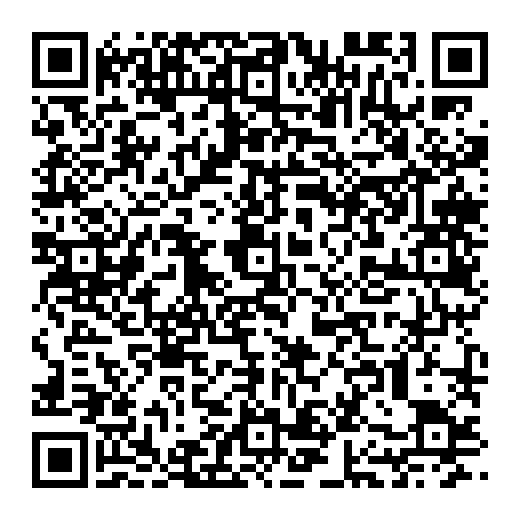
Quiet-zone reference: DENSO WAVE: determining the code area. Estimate your own layout with the QR code size calculator, then build the contact QR in the business card generator.
Practical sizing table#
| Use case | Recommended size |
|---|---|
| Short URL / profile link | 20-22 mm (0.8-0.87") |
| Dense vCard / longer payloads | 25-30 mm (1.0-1.2"), or simplify first |
| “Scan from a lanyard / event badge distance” | 25-30 mm (1.0-1.2") |
SVG vs PNG#
For printing, download SVG so the edges stay sharp at any size. PNG is fine for screens, but can blur when resized for print.
Quick print checklist#
- Use a short, stable destination (avoid tracking links that may expire).
- Test the final-size proof on the intended stock, using the devices and distance that matter for your card.
- Avoid placing the QR on a busy background.
- Don’t crop the quiet zone when exporting or placing in design tools.